
TeXworks
Discover how TeXworks simplifies TeX and LaTeX document editing on Linux. Read our review of this clean, open-source typesetting editor and PDF viewer.
Writing complex academic papers, technical documentation, or beautifully typeset books often leads to a frustrating battle with over-complicated software. The TeXworks typesetting editor solves this modern headache by stripping away the intimidating interface of traditional LaTeX environments, replacing it with a clean, approachable workspace designed for both seasoned academics and newcomers.
What is the TeXworks Typesetting Editor?
Developed by the TeXworks community for the Linux platform, this utility serves as an elegant environment for authoring TeX, LaTeX, and ConTeXt documents. Inspired by the highly praised TeXShop program on Mac OS, it aims to lower the barrier to entry for high-quality typesetting, making the process intuitive without sacrificing the power of raw TeX compilation.
Key Features of TeXworks
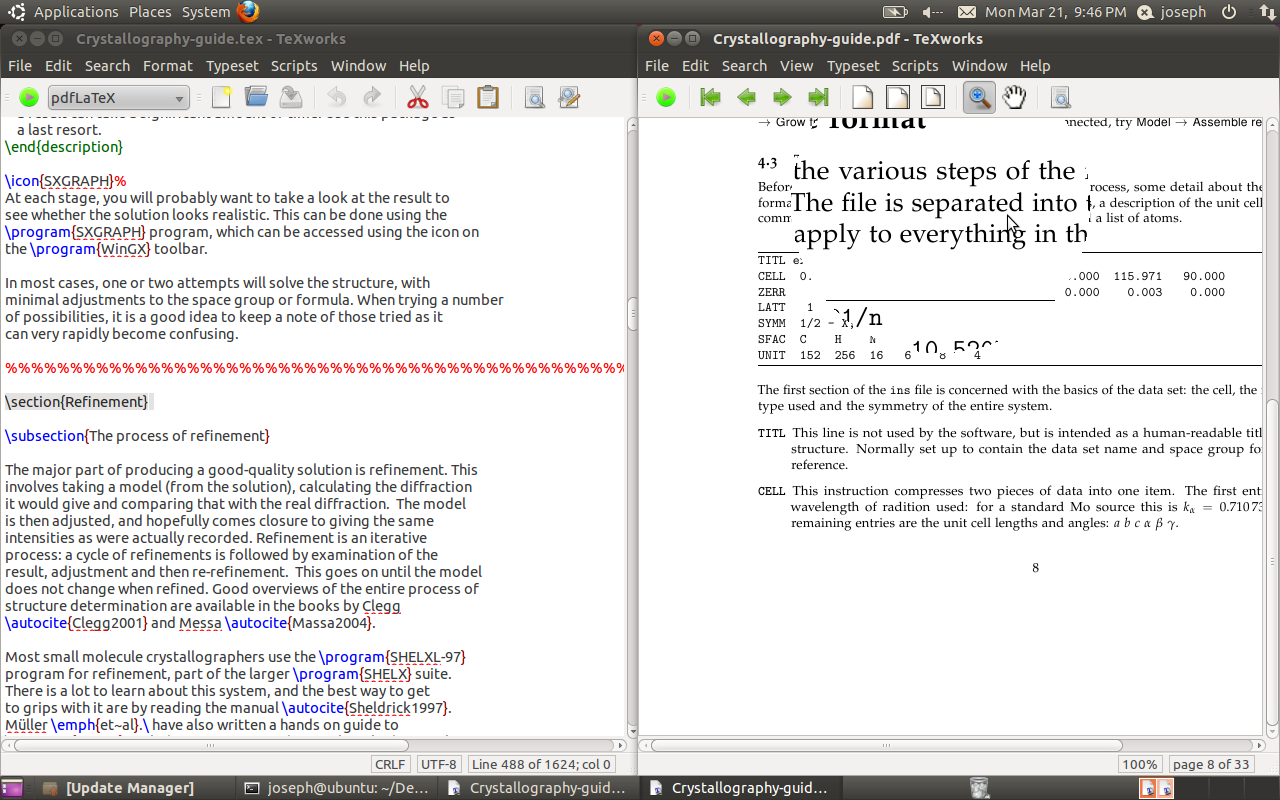
- Integrated PDF Previewer: Instantly view your compiled document side-by-side with your source code, eliminating the need for external PDF readers.
- Smart Synchronization: Jump instantly between a specific line of code and its corresponding location in the rendered PDF with a simple click.
- Unicode-Based Editor: Author papers in multiple languages with full support for modern character encoding.
- Extensible Scripting: Customize and automate your typesetting workflow using built-in scripting capabilities.
Who is TeXworks For?
If you find standard command-line LaTeX compilation tedious or find heavy IDEs overwhelming, this tool strikes the perfect balance. It is specifically tailored for researchers, student writers, and technical publishers who require precise control over their document layout but prefer a distraction-free environment to get their work done efficiently.
Getting Started on Linux
Setting up your typesetting workflow is straightforward. Linux users can install the application easily, and to access the full suite of TeX live distributions via Flathub, you can pair it with the corresponding Freedesktop SDK extension. To experience this streamlined workflow for yourself, visit the official TeXworks page on Flathub to explore installation details and integrate it into your system.